Power Monitoring
KPM31 single-phase DIN Rail Prepaid Energy Meter integrates data acquisition and control functions
Learn More
Have you ever been puzzled by this? Standing in front of your newly installed smart energy meter, feeling confused by the flashing numbers and English codes on the LCD screen?
Unlike old-fashioned mechanical meters that only have one reading, a smart meter is like a small information display screen, where each parameter is a "code" for understanding electricity usage. Understanding them not only allows you to clearly grasp the composition of your electricity bill but is also the first step in troubleshooting abnormal electricity usage.
This article will guide you through understanding the most common parameters on smart meters, turning you from "unable to understand" to "expert."
These parameters are usually printed on the meter's nameplate and are the meter's basic identity and capability identifier.
Common Format: 220V, 10(60)A
Interpretation: 220V indicates the rated voltage, i.e., the standard household voltage. 10(60)A is key: 10A is the base current, and 60A is the maximum current. This means the meter is most accurate at 10A, but can withstand short-term currents up to 60A (equivalent to approximately 13.2 kilowatts), meeting the needs of high-power appliances such as air conditioners and water heaters operating simultaneously. A higher number indicates a stronger capacity.
Common Format: 1600 imp/kWh, Accuracy Class: Class 1
Explanation: 1600 imp/kWh represents the meter constant, meaning "the indicator light inside the meter will flash 1600 times for every 1 kilowatt-hour consumed." This parameter is mainly used for testing and calibration. Class 1 indicates the accuracy class; the smaller the number, the higher the accuracy. Household meters are typically Class 1 or Class 2, meaning the error range is within ±1% or ±2%.
Explanation: The model number contains information such as the meter type and functions. The barcode next to it is the meter's unique "identification number," crucial for handling transactions, complaints, and repairs.
The smart meter screen automatically cycles through multiple data points, usually accessible by pressing the cycle button (or simply by using the automatic cycle function). Below are some of the most common screen information:
Example: Current Total Electricity Consumption: 25368.15 kWh
Interpretation: This is the total electricity consumption accumulated since the meter's installation, forming the basis for calculating electricity bills. This number (or frozen electricity consumption) is the primary focus when reading the meter.
Example: Peak Electricity Consumption: 12540.50 kWh, Valley Electricity Consumption: 7820.75 kWh
Interpretation: This is one of the most important functions of a smart meter. It divides the 24 hours of the day into different time periods (with different electricity prices) and measures them separately:
Peak Period: Peak electricity consumption (e.g., 8 AM - 10 PM), with the highest electricity price.
Off-peak hours: Electricity consumption is low during off-peak hours (e.g., 10 PM to 8 AM the next day), when electricity prices are lowest, suitable for charging electric vehicles, using washing machines, etc.
Total electricity cost = Peak consumption × Peak price + Off-peak consumption × Off-peak price + Average consumption × Average price. Utilizing peak and off-peak pricing can save a significant amount on electricity bills.
Display Example: Current combined total active power: 2.45kW
Interpretation: This displays the real-time total power consumption in your home at this moment. If it displays 2.45 kW, it means that the total power consumption of all operating appliances in your home is 2450 watts. This is a direct indicator of instantaneous electricity consumption.
Display Example: Voltage 221.3V, Current 11.2A
Interpretation: This displays the real-time voltage of the power grid and the total current in your home. Voltage fluctuations around the rated value are normal. The current value helps determine if any high-power appliances are operating.
Display Example: Meter Number 0302110100123456
Interpretation: The numerical ID corresponding to the barcode, for easy verification.
When the screen displays certain codes, it usually indicates a status alert or malfunction:
ERR-04: Fault code (e.g., ERR-04 often represents a clock malfunction). Contact the power company.
Please Purchase Electricity: The prepaid meter balance is insufficient; a recharge reminder is needed.
Power Outage or Trip: The meter has performed a power cut-off operation (possibly due to unpaid bills, remote control issues, or overload).
Reverse Phase Sequence: The wiring sequence is incorrect; professional assistance is required.
Behicle Icon Flashing: The internal clock battery of the meter is low; replacement by the power company is required.
Friendly Reminder: Smart meters belong to the power company's metering assets and users may not disassemble or modify them themselves. If you have any questions about the parameters or suspect that the meter is inaccurate, the correct approach is to record the abnormality and report it to the power company through the official app or service hotline. They will then come to your location to inspect or provide professional calibration services.

Power Monitoring
KPM31 single-phase DIN Rail Prepaid Energy Meter integrates data acquisition and control functions
Learn More
Power Monitoring
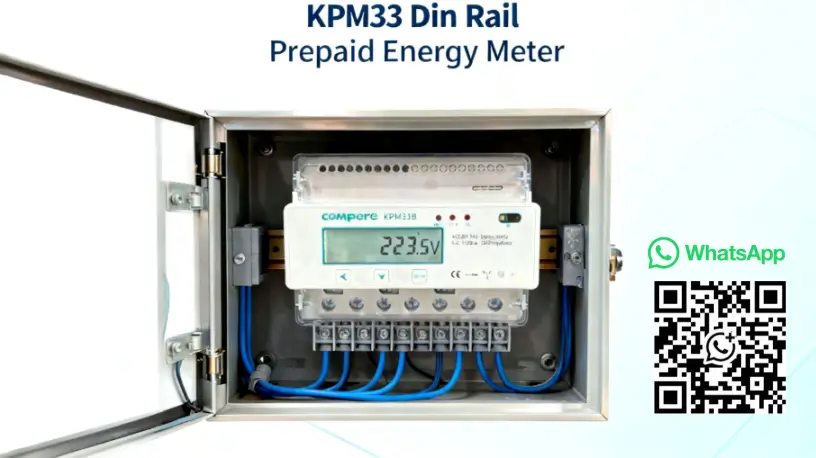
The KPM33 Three-phase DIN-rail 4G Prepaid Energy Meter is designed for DIN-rail mounting.
Learn More
Power Monitoring
The KPM37 4G Three-phase OEM Energy Meter features a 35mm DIN rail mounting design and an LCD display.
Learn MoreCompere provides the integrated energy management solution including online monitoring, analyzing, reporting, controlling, maintenance, production management, prediction, and other functions. We offer u technical support and professional solution at 7*24h service.
Unit 1, Building 38, LIANDONG U Valley, No. 352 Lianhua Street, High-tech Zone, Zhengzhou, China
Our helpline is always open to receive any inquiry or feedback.Please feel free to drop us an email from the form below and we will get back to you as soon as we can.
Compere mainly provides kpm series smart energy meters. If you have any needs, please feel free to contact us.